How to Use Natural Language Input
Since Structured 4.5.4, Apple users can use natural language input to create tasks. In this article, you will learn how to enable this smart feature and how to use it.
⚠️ Please note that this feature is still in beta and for now only available in English, German, French, and Spanish. If you have any feedback, let us know. Moreover, this feature is not available for Android and Structured Web users yet.
Enable Natural Language Task Creation
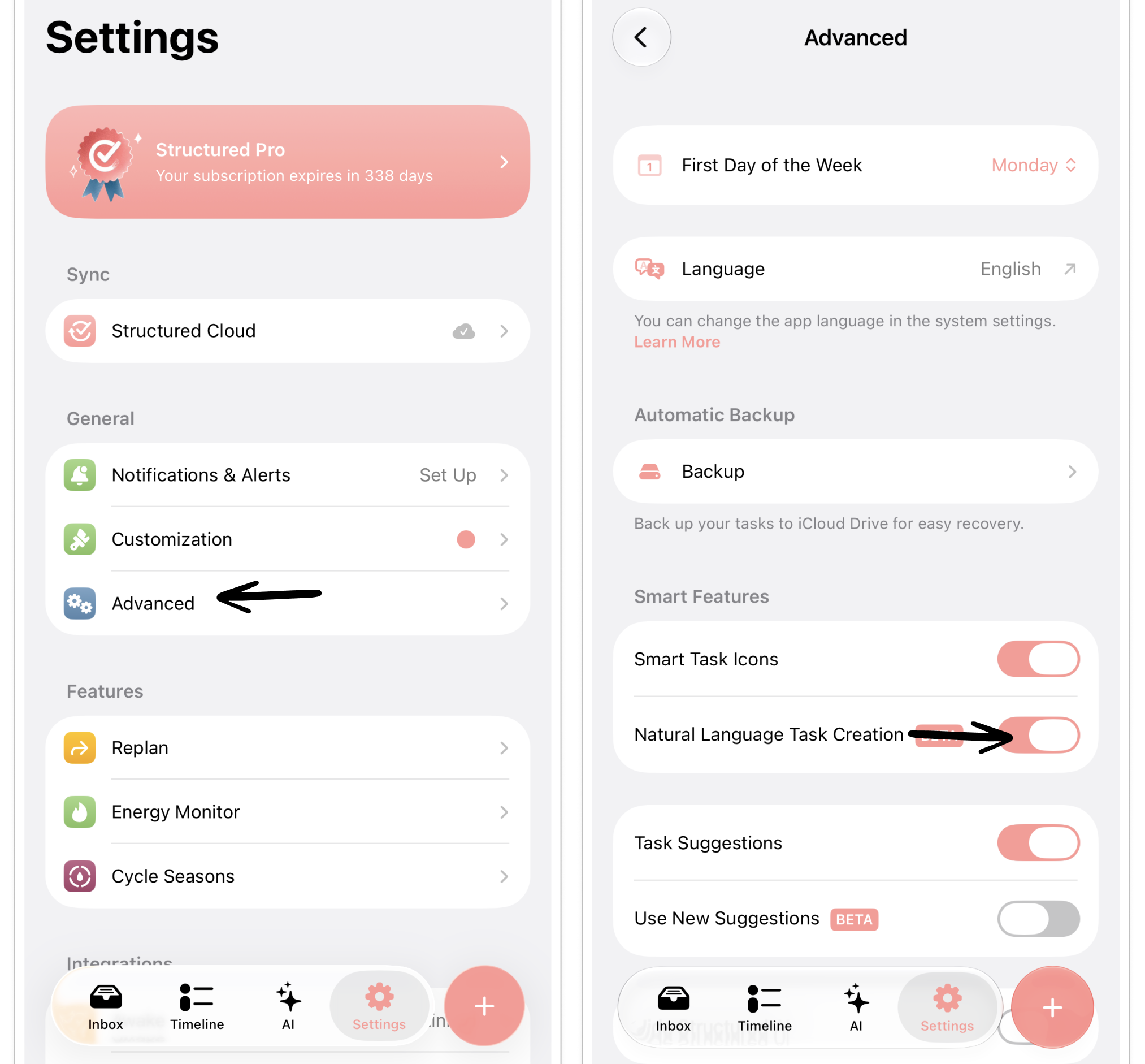
This feature is disabled by default. To enable natural language task creation:
Open Structured ⚙️ Settings.
Select Advanced.
Toggle Natural Language Task Creation on.
Use Natural Language Input
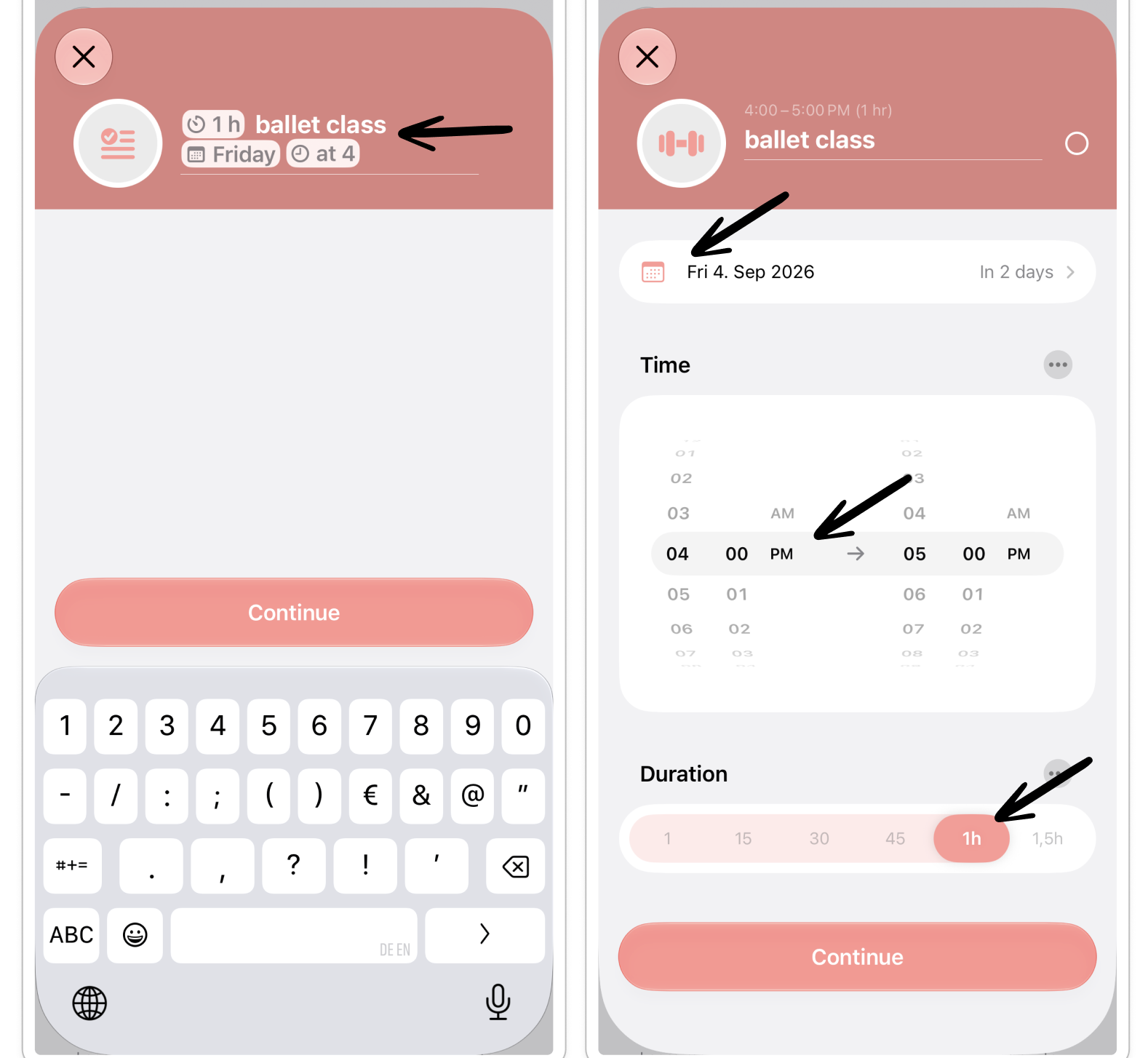
To use the natural language input to create tasks in Structured, simply add information about the tasks' date, time, and duration in its title.
For example:
"1h ballet class Friday at 4"
Structured will convert the title to a 1-hour-lasting event taking place on Friday at 4 PM.