
How to Set Planning Reminders
Edited
With Structured 4.4.8, iOS users can enable planning reminders to not forget about planning and completing their tasks.
Enable Planning Reminders
To enable planning reminders:
Open your ⚙️ Structured Settings.
Head over to Notifications & Alerts.
Scroll down to the Planning Reminders section. Here, you can enable one or both of the following reminders:
Morning Planning: When enabling morning planning, Structured will send you a reminder in the morning to revisit your upcoming schedule and plan your day.
Overdue Reminders: When enabling overdue reminders, Structured will send you a reminder once you have more than 3 unfinished tasks in a row.
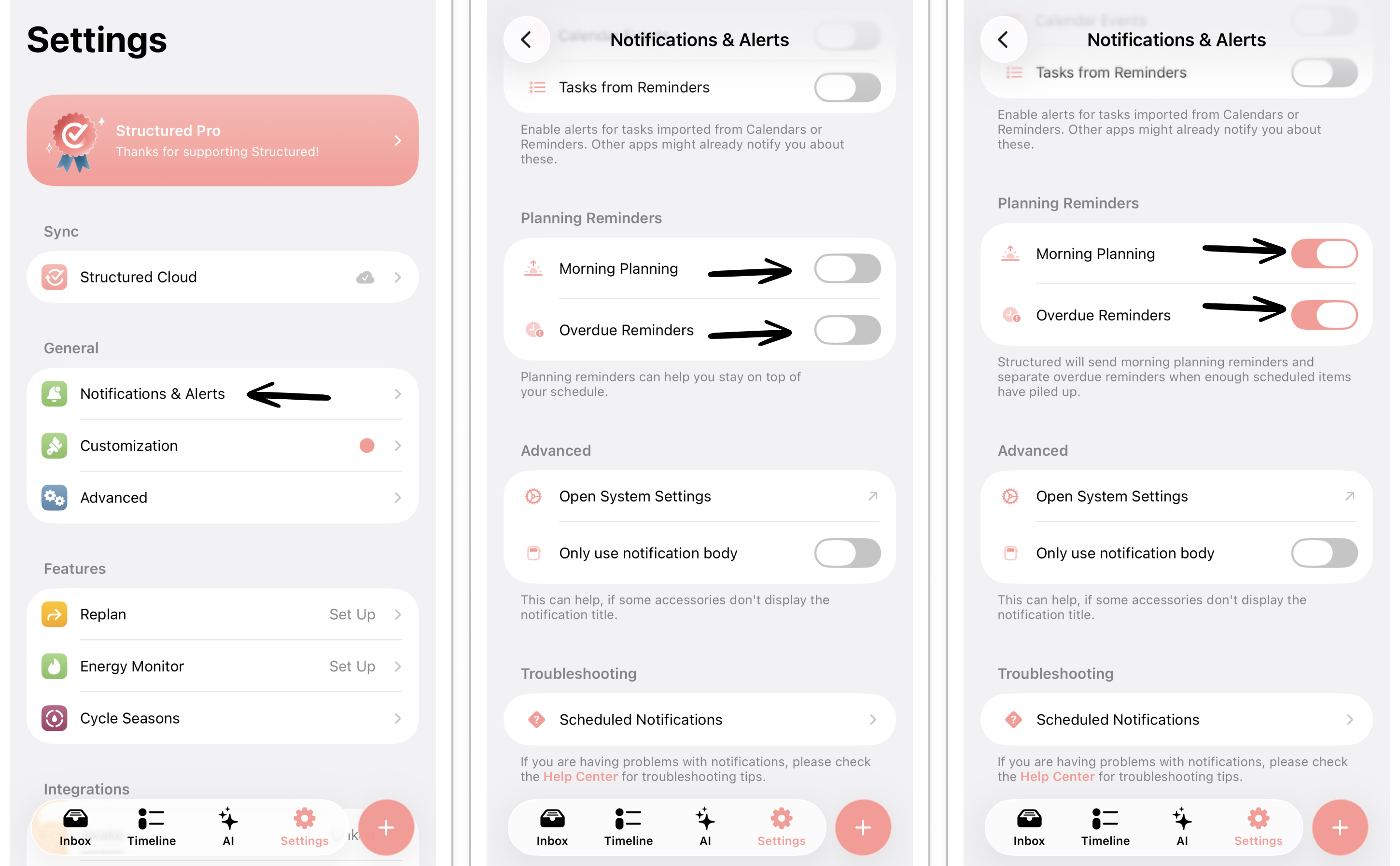
planning reminder
overdue tasks
overdue reminder
Was this article helpful?
Sorry about that! Care to tell us more?